
 Español
 English
 Français
 Português
Can you use Forge mods on Fabric (and Fabric mods on Forge)?
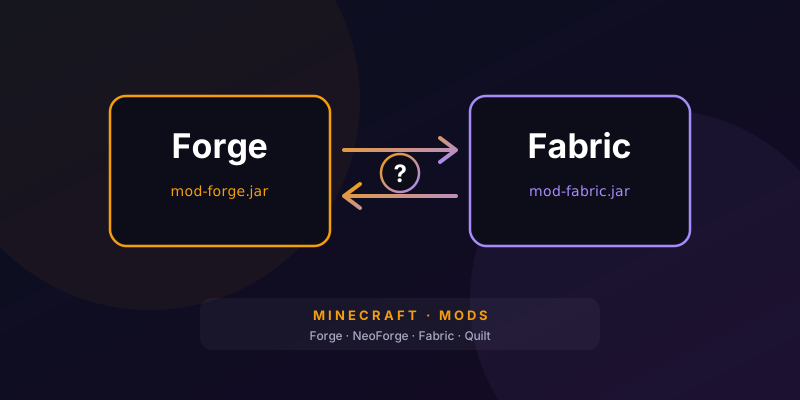
⚡ The short answer
Not directly. Forge, NeoForge and Fabric are different mod loaders, and every mod is built for one of them. If you drop a Forge mod into themods folder of a Fabric server (or the other way round), the game either ignores it or crashes on startup with an error.That said, there are three routes that do work, and it's worth trying them in this order.
🔎 1. Check whether the mod has a build for your loader
This is the most common fix and the least trouble. Many popular mods are released for several loaders at once. On the mod's CurseForge or Modrinth page, open the file list and filter by your Minecraft version and your loader (Forge, NeoForge or Fabric). If it exists, download that file and you're done: it's the same mod, built for your loader.If it doesn't exist, look for an alternative. Almost every well-known mod has an equivalent on the other side.
🧩 2. Fabric mods on Forge or NeoForge: Sinytra Connector
Sinytra Connector is a mod that lets you load Fabric mods in a Forge or NeoForge game. Today it's available for Forge on Minecraft 1.20.1 and NeoForge on 1.21.1. You need two things in themods folder:- Sinytra Connector, for your Minecraft version.
- Forgified Fabric API, which replaces the regular Fabric API (don't install both).
🧪 3. Forge mods on Fabric: Kilt (experimental)
In the opposite direction things are worse. Kilt tries to load Forge mods on Fabric, but its own authors describe it as highly experimental: it's in alpha, for Minecraft 1.20.1 only, and they warn it can cause crashes and break worlds. It's fine for tinkering in a test world with a backup; for a server other people play on, we don't recommend it. If your modpack depends on Forge mods, the sensible choice is to run Forge or NeoForge.🔀 What about NeoForge, Forge and Quilt?
- NeoForge and Forge: on Minecraft 1.20.1 most Forge mods work on NeoForge. In later versions the two split, and you need the NeoForge-specific file.
- Quilt: loads the vast majority of Fabric mods.
📋 Summary
| Your server | You want to use | What to do |
|---|---|---|
| Fabric | A Forge mod | Find its Fabric build or an alternative. Kilt for testing only. |
| Forge 1.20.1 | A Fabric mod | Find its Forge build, or use Sinytra Connector. |
| NeoForge 1.21.1 | A Fabric mod | Find its NeoForge build, or use Sinytra Connector. |
| NeoForge 1.20.1 | A Forge mod | Usually works as is. |
🖥️ On a server, everyone has to match
In multiplayer, the server and the players must run the same loader and the same mods (except client-only ones, such as minimaps or shaders). If the server uses Sinytra Connector, players need it too.If switching loader turns out to be the right call, do it carefully: take a backup first, because blocks and items from mods you remove will disappear from the world. At ZentexNode you change the server type (Forge, NeoForge or Fabric) and the version from the panel, without opening a ticket; we explain it in how to change the server version without losing data. And once you've picked a loader, here's how to install mods on Forge and Fabric.
Looking for Minecraft server hosting?
Minecraft hosting with automatic setup, our own control panel, Anti-DDoS and no contract. If you’d rather not set it up yourself, there’s an optional assisted setup service.
See Minecraft plans from €2/mo →